A schedule that
stays in order

- Individual working hours
- Breaks, holidays and absences
- Calendar for the whole team
- Services assigned to specialists
Every employee has their own account, their own working hours and their own access level, and you see the whole salon's work in one calendar.
 0 zł forever. No payment card and no contract.


Every person has their own schedule and their own access level, and you see the whole salon's work in one calendar.
TEAM SCHEDULE
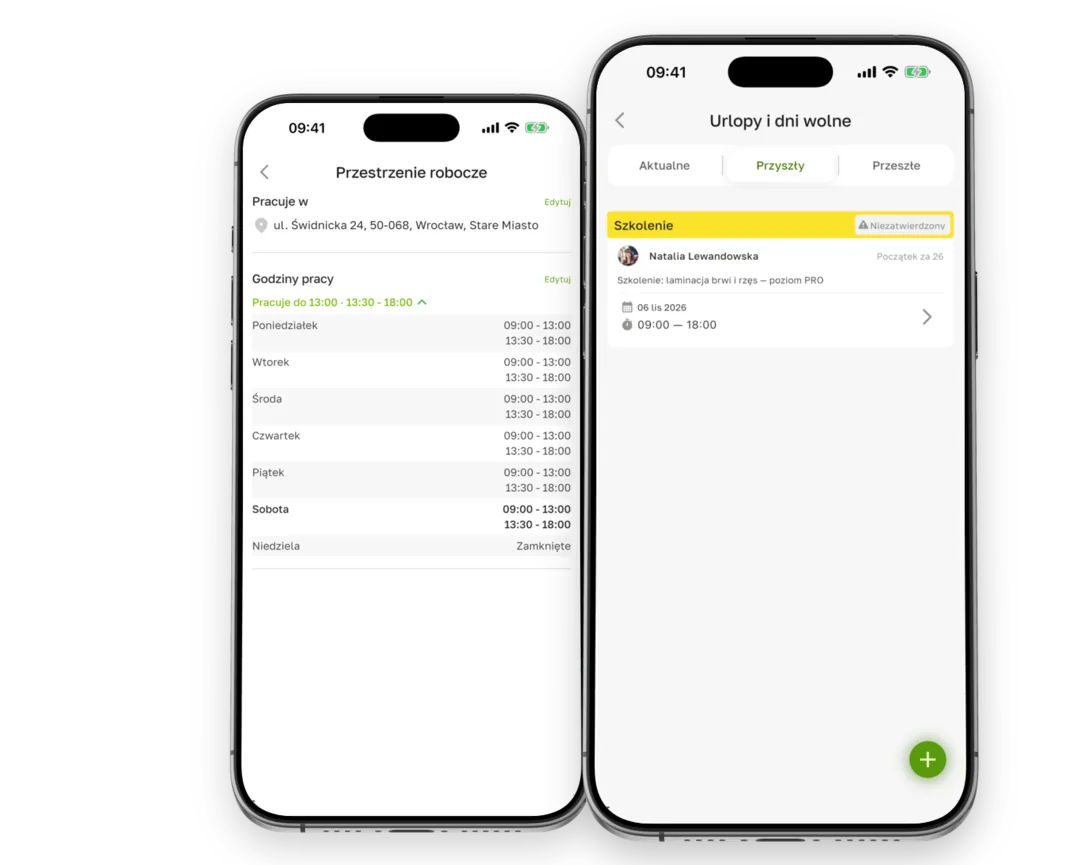
You see everyone at once or filter a single person. The working hours, breaks and holidays of each specialist change straight away what clients see when they book.
ROLES AND PERMISSIONS
The role decides who changes settings, who reads client records and who sees only their own schedule. Changes stay in the activity history.

SEVERAL LOCATIONS
You run locations within one account. Each has its own schedule, team and stock, and you view the results separately or together for the whole business.

Four steps, after which a new person can start taking bookings.
The person gets their own login and works on their own account, not on a shared one.
That person's schedule, breaks and holidays change straight away what clients see.
Online bookings offer only the services that this person actually performs.
The role decides what this person sees and can change — from their own schedule through to the salon settings.
The full list of what this part of the system can do.
Create a free account, add your services and set your working hours. When the team grows, you move to a plan with employee accounts.
0 zł forever. No payment card and no contract.
Yes. You set what someone sees and can do through their role — from access to their own visits only, through to full management of the salon.
The number of people with their own calendar depends on the plan. You will find the details, including the price of extra seats, on the pricing page.
No. You run locations within one account, and how many you can have depends on the plan — the details are on the pricing page.
Absences and breaks are entered by someone with the right permission. You decide the scope — from full independence through to entries made only by the owner.
You add them as resources and assign them to services. Terminka then watches not only the specialist's availability but also whether a station is free.