Forms that are
quicker to fill in

- Ready-made consultation and treatment record templates
- A record matched to the service
- A form in the browser, no app needed
- In the salon or via a link before the visit
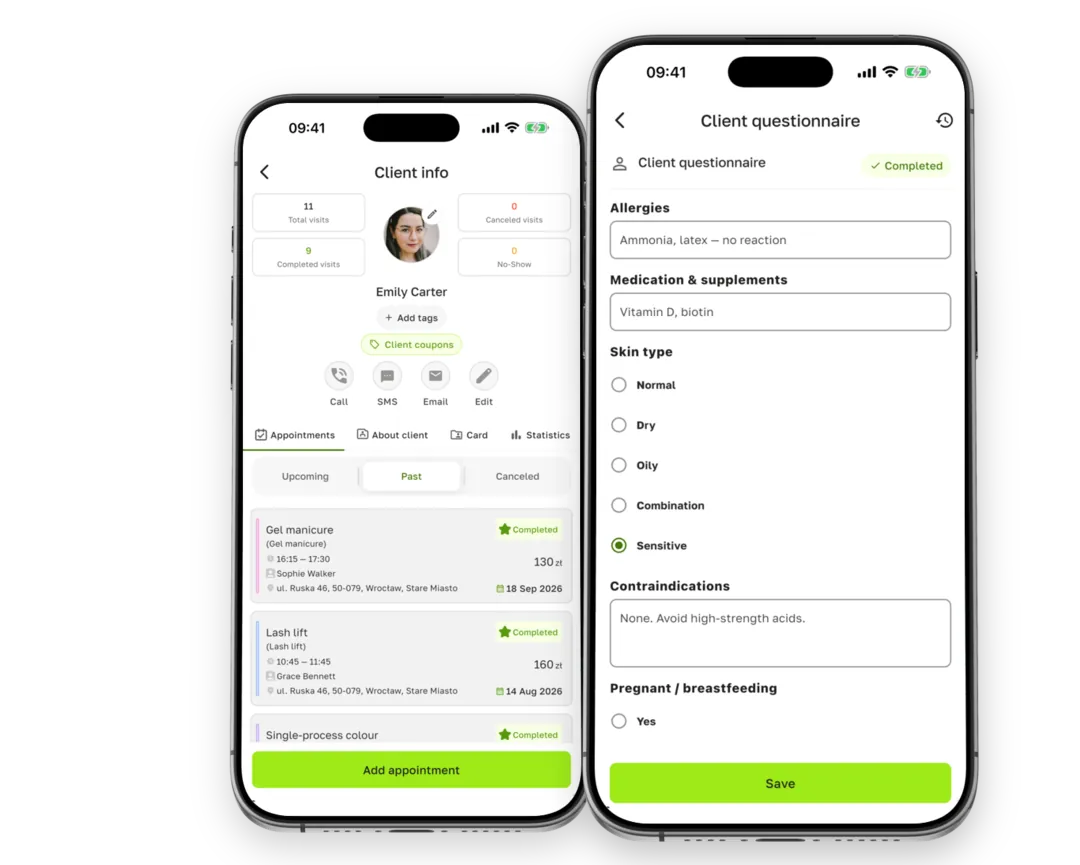
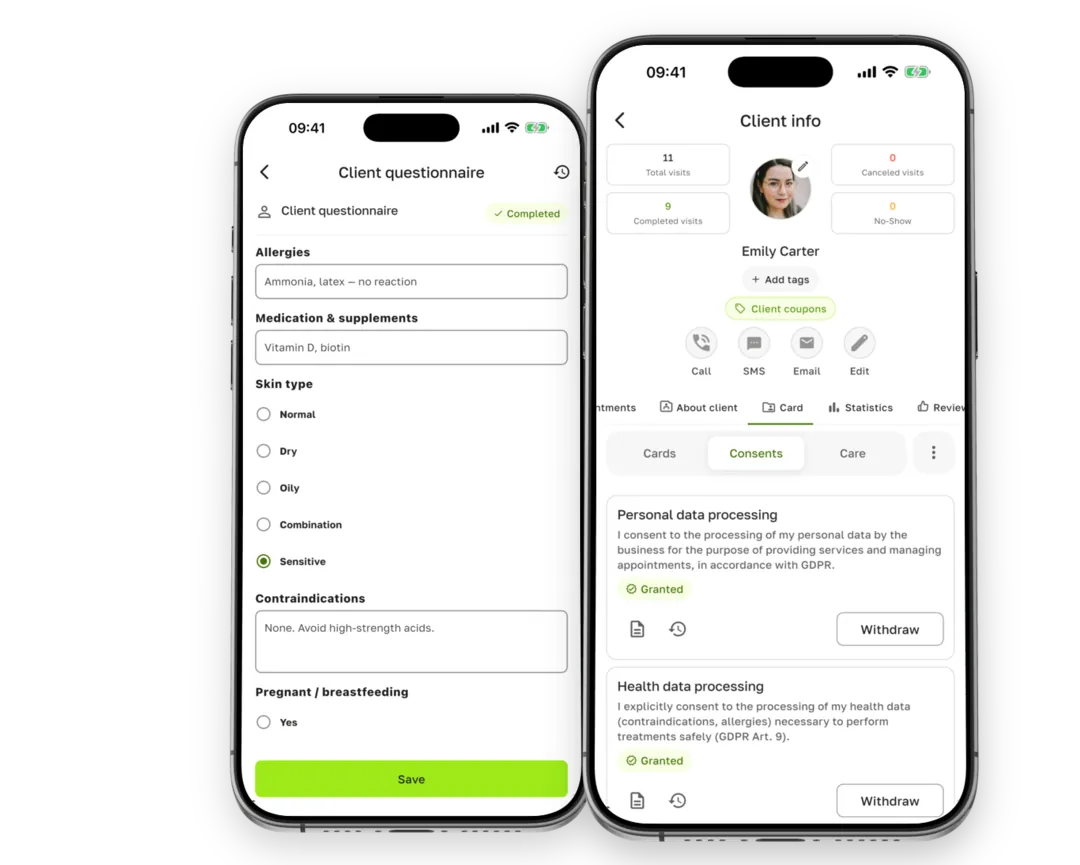
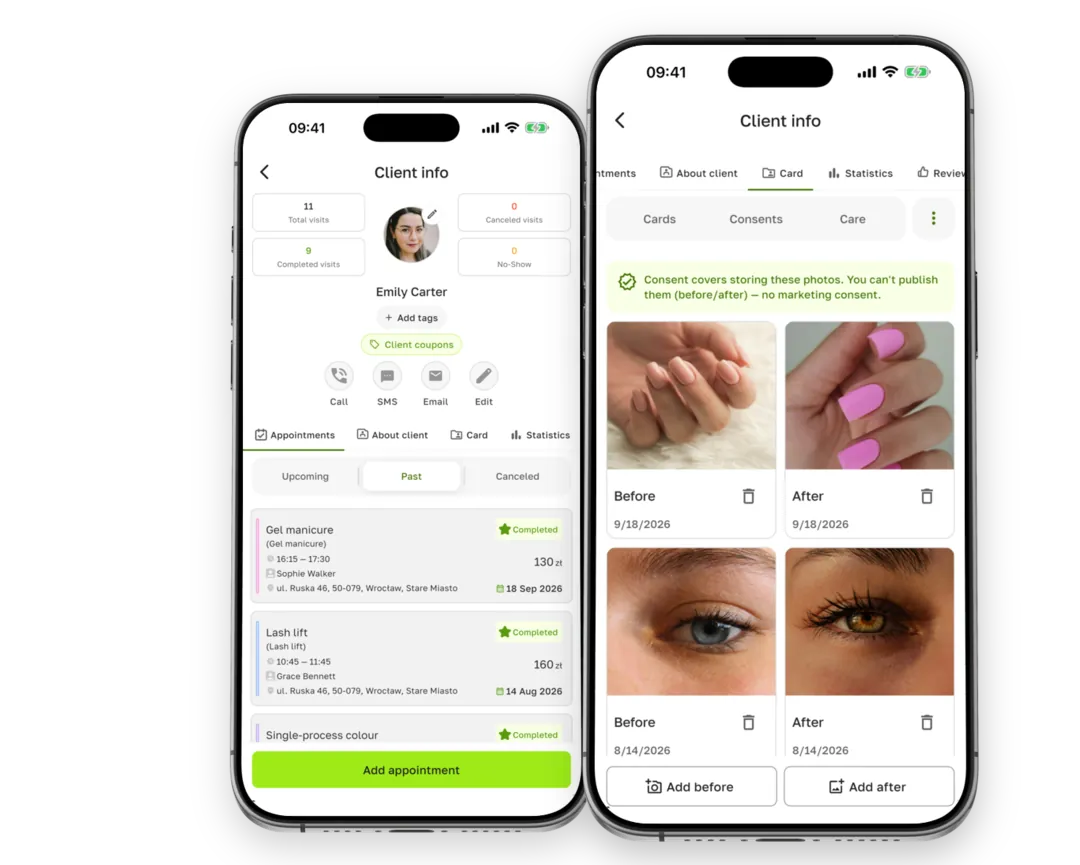
Consultation forms, treatment records and GDPR consent signed on a phone or via a link — together with before and after photos, aftercare advice and scans of paper documents.
 14 days of every feature after you sign up. No payment card.

Forms, consent, photos and scans of paper documents sit in one record — with the date, version and signature — and only people with access can open them.
CONSULTATION AND TREATMENT RECORDS
Build the form yourself or start from a ready-made template and attach it to your services. When a client books a treatment, the visit shows which record still needs filling in.
CONSENT AND SIGNATURE
The client signs with a finger on your phone or tablet, with an SMS code or in the browser — you send the link by SMS or email, or show a QR code. The signed document is saved as a dated PDF and can't be changed afterwards.
PHOTOS AND AFTERCARE
Add photos to the record straight from the camera, and Terminka shows whether the client agreed to them being stored and, separately, published. Aftercare advice and care plans go to the client's app.
From picking a template to a document in the record — no printing or scanning.
Choose once which forms and consent a treatment needs.
The client fills in the form in the browser before the visit or on your device in the salon.
With a finger on the screen, an SMS code or in the form; before signing they see who the controller of their data is.
The dated PDF stays with the client, and the visit shows everything is ready.
The full list of what this part of the system can do.
Create an account, pick a ready-made consultation form and consent template and attach them to your services. For 14 days you get every feature — client records included.
14 days of every feature. Client records are available from the Solo plan.
GDPR doesn't require any particular form of consent: what matters is being able to show the client gave it. Terminka stores the signature, date, wording and document version in a PDF that can't be changed after signing. It isn't a qualified electronic signature — if you require that form for a document, stick with paper and add a scan to the record.
Client records, consent, photos and aftercare advice are available from the Solo plan. For 14 days after signing up you get every feature, so you can try them with your own clients. Consent collected earlier can be viewed and withdrawn on any plan.
Yes. You add a scan of a paper document (up to 30 pages and 20 MB) to the client record together with the date it was signed, and paper consent shows in the record just like consent signed in the app. In the browser dashboard you can scan the document with your camera.
No. The form link opens in the browser, and in the salon the client can sign on your phone or tablet. The Terminka app comes in handy for aftercare advice and care plans — they arrive there as a notification.
Records can be opened by your salon team, and on the Studio and Pro plans you can limit a specialist's view to clients of their own services. The archive of signed documents and scans is visible to the owner and manager, while export, data erasure and the access log are owner-only. Access to health data is recorded in the log.
The client can send a request from the app, and you carry it out or reject it; you can also erase the data yourself. Erasure only applies to your salon: personal data disappears, while proof of consent stays without identifying details, so you can still show the legal basis for processing.