
Beauty client record card: a template plus treatment records for five treatment groups
A client record card and treatment record template with versions for lashes, permanent make-up, laser, peels and nails — ready to copy into the app.
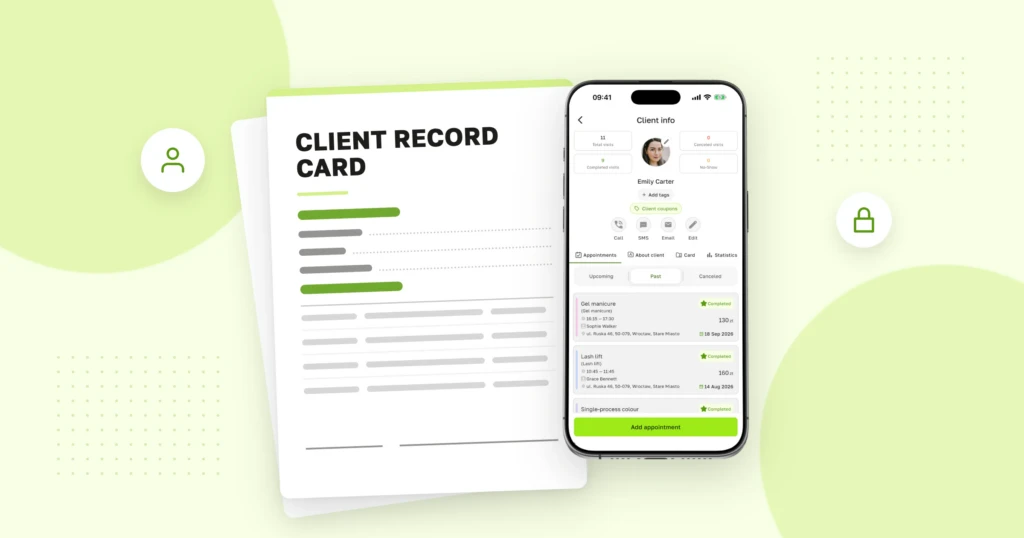
A client comes back for a peel after six months and asks whether it is “the same acid as last time”. If the answer sits in a binder labelled “2025” rather than in a record you can open in seconds, the record is not doing its job. Below you will find a client record card template, a treatment record for every visit with versions for five treatment groups, and a short guide to keeping it all on your phone.
What a beauty client record card should include
Polish law does not prescribe an official form (in Polish salons it is called karta klienta or karta zabiegowa), but a good record always has two parts: a permanent part you fill in once and keep up to date, and an entry for every visit.
- Client details — name, contact details, date of birth (it matters when the client is under 18).
- Consultation — allergies, medication and supplements, pregnancy or breastfeeding, chronic and skin conditions. The full list of questions is in Beauty consultation form: questions to ask.
- Contraindications and your decision — what you found and whether the treatment went ahead.
- Consent — to data processing, to health data, to storing photos and, separately, to publishing them.
- Treatment notes — date, who did it, products with batch numbers, settings, skin reaction and aftercare advice. With acids, pigments and lash glues, the batch number is the first thing anyone asks about in a complaint.
- Before and after photos — only if the client has agreed to them being stored.
Client record card template
If most of your clients are Polish, give them the Polish form — you will find it in the Polish version of this article.
Copy it and adapt it to your salon:
CLIENT RECORD CARD — [salon name]
1. Client details
Full name:
Phone:Email:
Date of birth:Date of first visit:
2. Consultation
Main concern / reason for the visit:
Allergies (medicines, cosmetics, latex, metals, other):☐ no ☐ yes:
Current medication and supplements:
Chronic conditions, skin conditions:
Pregnant or breastfeeding:☐ no ☐ yes
Last similar treatment (when, where):
Previous skin reactions:☐ none ☐ mild redness ☐ strong sensitivity
3. Contraindications
Contraindications found:☐ none ☐ yes:
Decision:☐ treatment done ☐ treatment postponed ☐ doctor’s opinion needed
4. Consent
Processing of personal data:☐ yes ☐ no
Processing of health data (explicit consent):☐ yes ☐ no
Storing before and after photos:☐ yes ☐ no
Publishing photos in salon materials:☐ yes ☐ no
5. Client declaration
I confirm that the information in this consultation is true and complete. Before my next treatment I will tell the salon about any change in my health or medication.
Date:
Client’s signature:
Treatment record template — the entry for each visit
Fill this in at every treatment. Replace the “Treatment details” line with the version for your service — versions for the five most common groups are below.
TREATMENT RECORD — [salon name]
Client:Date:
Treatment:Area:
Therapist:
Changes since the last visit (health, medication, pregnancy, tanning):☐ none ☐ yes:
Treatment details: [insert a version below]
Skin reaction during and straight after the treatment:
Aftercare advice given to the client:
Photo before / after:☐ yes ☐ no
Next visit / next session in the course:
Therapist’s signature:
Client’s signature:
Version: lash extensions and lifts
TREATMENT DETAILS — LASHES
Service:☐ classic 1:1 ☐ volume (2D–6D) ☐ infill ☐ lash lift
Lash map / effect:
Lengths:Curl:☐ B ☐ C ☐ CC ☐ D ☐ L ☐ other: Thickness: mm
Adhesive (name, batch no., date opened):
For a lift: shield size , solutions and processing time (step 1 / step 2):
Natural lashes:☐ healthy ☐ weak ☐ gaps:
Watering or irritation during the treatment:☐ no ☐ yes:
Version: permanent make-up
TREATMENT DETAILS — PERMANENT MAKE-UP
Area:☐ brows ☐ lips ☐ upper eyeliner ☐ lower eyeliner
Session:☐ first ☐ top-up (date of first session: ) ☐ colour boost
Technique:☐ powder ☐ hair strokes ☐ ombré ☐ other:
Pigment (brand, name, batch no., expiry date):
Blend / colour corrector:
Needle or cartridge (type, configuration, batch no.):
Machine and settings:
Shape and colour agreed with the client:☐ yes, design photo in the record
Notes for the top-up:
Version: laser hair removal and IPL
TREATMENT DETAILS — LASER HAIR REMOVAL / IPL
Device:☐ laser (type, wavelength: ) ☐ IPL (filter: )
Skin type (Fitzpatrick):☐ I ☐ II ☐ III ☐ IV ☐ V ☐ VI
Hair colour and thickness:
Area:
Session no. in the course, previous session:
Settings: fluence J/cm², pulse duration ms, spot size mm, frequency Hz
Cooling:
Last sun exposure, sunbed, fake tan:
Patch test:☐ no ☐ yes, date:
Version: chemical peel
TREATMENT DETAILS — CHEMICAL PEEL
Product (name, brand, batch no.):
Active ingredient and strength: % pH:
Skin preparation (cleansing, degreasing):
Number of layers: Contact time: min
Neutralisation:☐ neutraliser: ☐ water ☐ self-neutralising product
Reaction during the treatment (erythema, frosting — level):
Session no. in the course
Post-treatment products (mask, cream, SPF):
Version: manicure and pedicure
TREATMENT DETAILS — MANICURE / PEDICURE
Service:☐ classic manicure ☐ gel polish ☐ hard gel ☐ extensions ☐ pedicure ☐ infill
Nail plate:☐ healthy ☐ thin, peeling ☐ discoloured ☐ changes needing a referral:
Cuticles and surrounding skin:
Products — base, colour, top coat (brand, batch no.):
For extensions: method, form, length:
Tools:☐ single-use ☐ sterilised, pouch no.
Notes (reaction to a product, aftercare):
For higher-risk treatments — laser, permanent make-up, chemical peels — add a separate treatment consent form describing possible side effects.
How to do it in Terminka
In Terminka you keep both parts in the Terminka Partner app, and the online treatment record reaches your client as a link. Here is how it works:
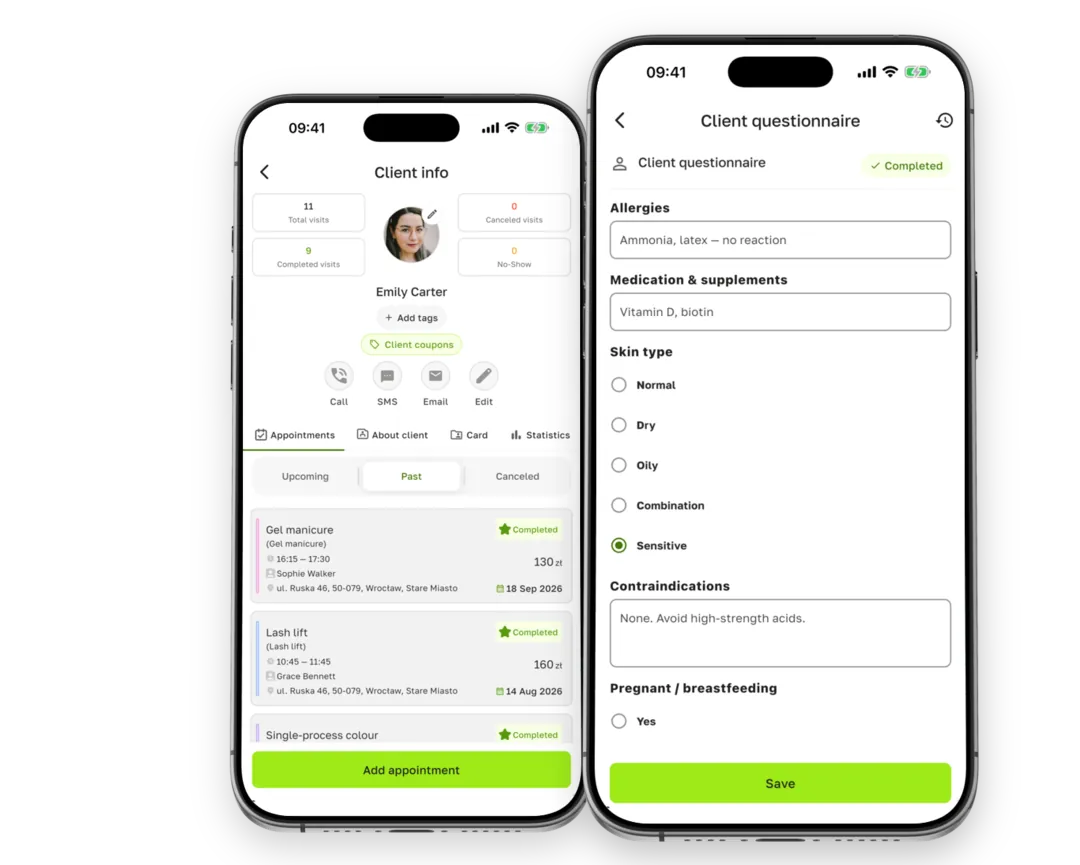
- Pick a ready-made template. In Client card settings, open Card templates → Ready-made templates. There are 31, including “Lash extensions”, “Permanent makeup brows”, “Laser hair removal”, “Chemical peel” and “Gel manicure”. Each has the same core fields: main concern or goal, allergies, medication and supplements, contraindications, skin reaction history, pregnancy or breastfeeding, last similar treatment, a before photo and treatment notes.
- Add the treatment details. Ready-made templates can’t be edited, so tap Create based on this and use Add field in your copy. Each line of the version above becomes a field of its own: “Adhesive, batch no.” as Text, “Curl” as Single choice, “Session no.” as Number, the design as Photo. Choose the type as the app’s hint describes it: Profile — once per client, Treatment — every visit.
- Attach it to a service. In the template, switch on Auto-suggest on booking and choose the Services. When a client books that service, the visit’s Documents and care block shows Needs action until she has a current record from that template. Ready-made templates never expire, so one completed record is enough; to ask again, set Card validity in your template (e.g. 12 mo). You can also add an entry for a particular visit yourself: Client info → Card → Cards → New card.
- Fill it in or send it. You complete a missing record from the visit with Fill card. If you want the client to answer the questions herself, choose SMS link, Email link, QR in room or Hand the device to the client. She sees the form in her browser, with no app to install, and signs with her finger or an SMS code.
- Check the client’s record. Under Client info → Card → Cards you will see each record marked Completed or Signed. A signed one is saved as a PDF with the date and the version of the wording, and it can’t be changed afterwards.
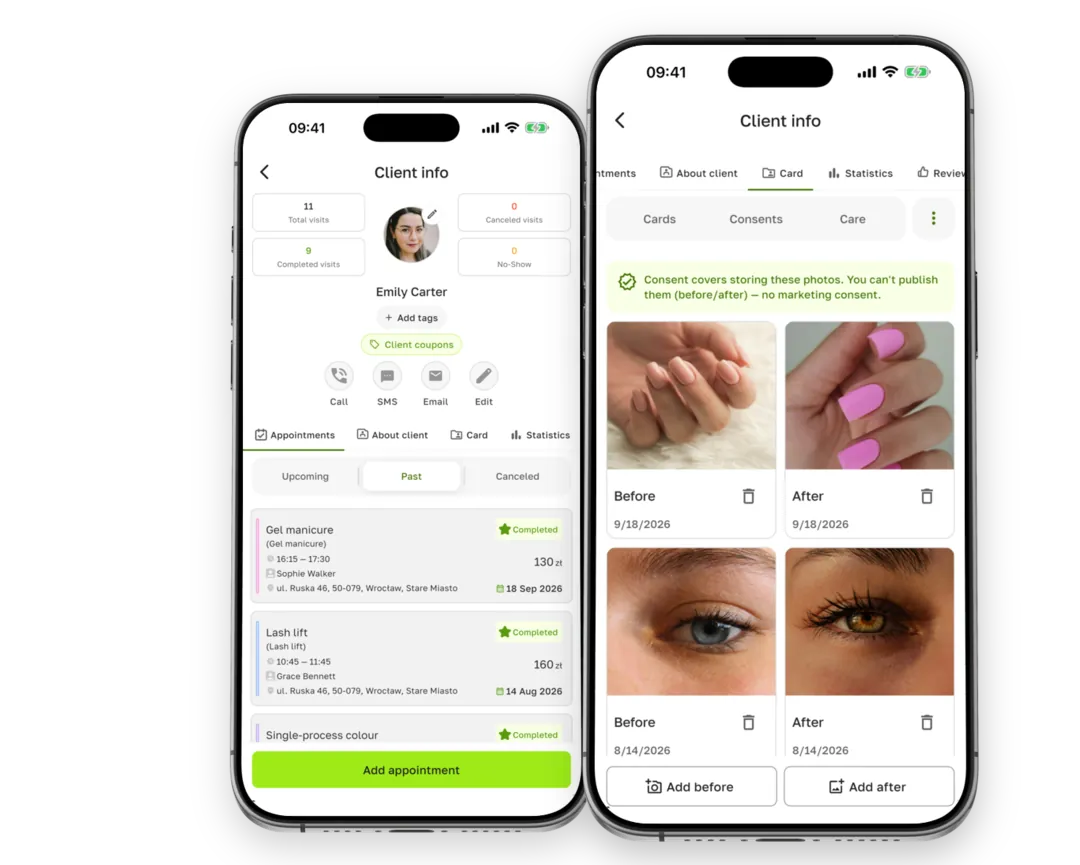
You can also add before and after photos with a check on publication consent: the app shows whether the client agreed to them being stored and, separately, to them being published.
Frequently asked questions about client record cards
How long should I keep a client record card?
Polish law sets no specific period for beauty salons. The GDPR principle applies: you keep data for as long as you need it to provide services and then to defend yourself against possible claims. A client’s claims against the salon generally become time-barred after 6 years, at the end of a calendar year (art. 118 of the Polish Civil Code); the 3-year period covers the salon’s own claims, so it is not the right yardstick. Personal injury has its own rules (art. 442¹), and for a minor the period cannot end earlier than 2 years after they turn 18. Set your own period, counted from the last visit, in an internal policy, and once it has passed, delete or anonymise the data.
Do I have to copy out my old paper records?
No. You add scans of paper documents to the client record with Upload scan — up to 30 pages and 20 MB, with the date they were signed. Consents marked on such a scan show up in the record just like those signed in the app.
Who in the salon can see the record?
Anyone can open a binder at reception. In the app, access depends on each team member’s role, and every time health data is opened it is logged in the access log.
A ready-made treatment record template is already in Terminka — add the fields from the version for your service, and your client fills it in and signs it on a phone or via a link. Electronic client records come with the Solo plan, and after signing up you get 14 days of all features for free.
