How to move your data from Booksy to Terminka (2026)
Export from Booksy, a free migration of clients, services and visit history on Solo, Studio and Pro, and a new booking link.
Updated:

Short answer
The account owner requests a full export from Booksy by email. According to the Booksy help centre it takes up to 5 business days, and the file arrives password-protected. We did not find a self-service export of the database from the panel in Booksy’s official help. Send the file to Terminka: on Solo, Studio and Pro we move your clients, services and visit history for free.
What you can export yourself
-
Export from the panel
We did not find a description of a self-service export of the client list or other data from the panel menu in the official Booksy help centre, so we give no menu path. Booksy releases the data at the account owner’s request – see below.
Source: Co zrobić, aby otrzymać eksport wszystkich danych – accessed 22.11.2026
What you cannot export yourself
-
Full data export
It covers clients, services, bookings, reviews, products and the database of SMS messages sent. You request it by email from your own address to info.pl@booksy.com. It takes up to 5 business days and the file is password-protected.
Who can: Only the account owner.
Source: Co zrobić, aby otrzymać eksport wszystkich danych – accessed 22.11.2026
-
Copy of the client list
Booksy sends it on request, by email to info.pl@booksy.com.
Source: Jak mogę uzyskać kopię mojej listy klientów z Booksy – accessed 03.11.2026
-
Data after the contract ends
Under the Booksy Biz terms the contract is terminated with one month’s notice, effective at the end of the next billing period, in writing or in documentary form (forma dokumentowa under Polish law; section IV). After the contract ends, data is released on request for up to 3 months and then deleted (section XI.11).
Source: Regulamin Booksy Biz – accessed 22.11.2026
Step by step
-
Request the export from Booksy. The account owner writes to info.pl@booksy.com from their own email address. Do it before you cancel the contract.
up to 5 working days
A ready-made email to BooksyWritten in Polish
Dzień dobry, jestem właścicielką konta [nazwa salonu] w Booksy Biz. Proszę o eksport wszystkich danych konta: klientów, usług, rezerwacji i opinii. Pozdrawiam, [imię i nazwisko]
In English: “Hello, I am the owner of the [salon name] account in Booksy Biz. Please export all the account data: clients, services, bookings and reviews. Best regards, [first and last name]”
-
Create a Terminka account. You open a Free account without a payment card at app.terminka.com or in the Terminka Partner app.
-
Send us the file. Send the file as it came from Booksy and the password in a separate message. On Solo, Studio and Pro we move your clients, services and visit history.
up to 48 hours

-
Check services and working hours. After the migration, review service names, prices and durations and the team’s working hours.
-
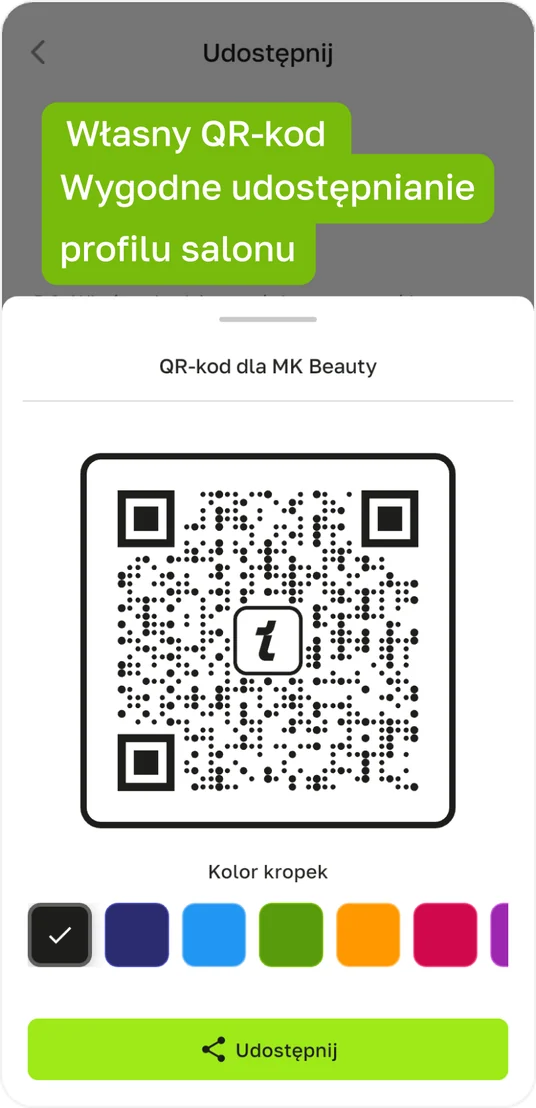
Put up your new booking link. Change the link on Instagram, in your Google Business Profile and on your website. Appointments booked earlier in Booksy go ahead as usual.
-
Cancel your Booksy contract. Do it after requesting the export: the notice takes effect with a delay, at the end of the next billing period.
one month's notice
What we do
- We move your clients, services and visit history from the export file – free on the Solo, Studio and Pro plans.
- We count migration time from the moment we have the complete export: up to 48 hours.
- On the Free plan you import clients yourself, from your phone contacts or an XML file.
- We process the data on your behalf, under a data processing agreement.
Questions about moving from Booksy
Can I export my database from Booksy myself?
We did not find a description of a self-service export from the panel in the official Booksy help centre. The account owner requests the export by email to info.pl@booksy.com.
How long does the export from Booksy take?
According to the Booksy help centre, up to 5 business days. The file arrives password-protected.
What does the export include?
Clients, services, bookings, reviews, products and the database of SMS messages sent.
Who can request the export?
Only the account owner, by email from their own address.
Is moving to Terminka paid?
On Solo, Studio and Pro we move clients, services and visit history for free, within 48 hours of receiving the complete export. On the Free plan you import clients yourself, from your phone contacts or an XML file.
When should I cancel my Booksy contract?
After requesting the export. Under the terms the notice period is one month, effective at the end of the next billing period, and after the contract ends Booksy releases data on request for up to 3 months.
Sources

Sources: Booksy Biz terms and the data export article – accessed 22.11.2026, other Booksy help centre articles – accessed 03.11.2026.
- Co zrobić, aby otrzymać eksport wszystkich danych – accessed 22.11.2026
- Jak mogę uzyskać kopię mojej listy klientów z Booksy – accessed 03.11.2026
- Regulamin Booksy Biz – accessed 22.11.2026
Booksy is a trademark of its owner; Terminka is not affiliated with it.
See also
Move your salon to Terminka
Create an account in a few minutes and take bookings straight away. On Solo, Studio and Pro we move your data for you.
 Free plan: 0 zł forever. Paid plans free for 14 days.